Client onboarding and access management: designing readiness in before launch
Enterprise SaaS · Client onboarding & access management
Onboarding a new client onto a software platform means setting up forms, users, roles, and approval chains, usually across separate screens, by different people. This project reimagined that setup as a single, visible system, with one question answered up front: is this program actually ready to launch?
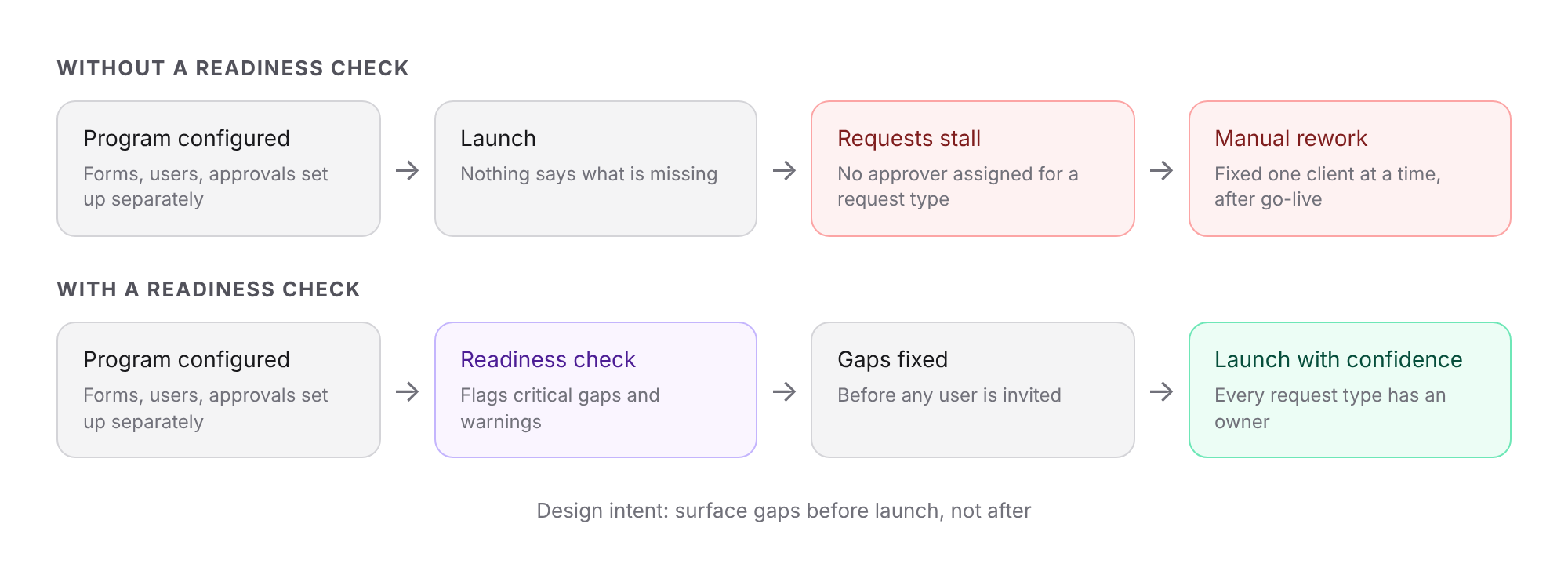
The problem: Each piece of a client program can look fine on its own. The forms are configured, the users exist, the approvers are named. But nothing connects them. A request type can have no approver, a team can fall between two approval paths, or a program can launch with the people who need to sign off missing. These gaps don't show up as errors. They show up later, as requests sitting unapproved while someone works out why.
The mistake happens on day one. The damage shows up on day thirty, as an unapproved request nobody can explain.
The design principle: We started with the failure, not the happy path. Before designing any setup screen, we asked where a program could be misconfigured and what the person setting it up would need to see to catch it in time. The answer shaped the whole product: a readiness check that runs across every program, and an interface that keeps forms, users, and approvals visible together.
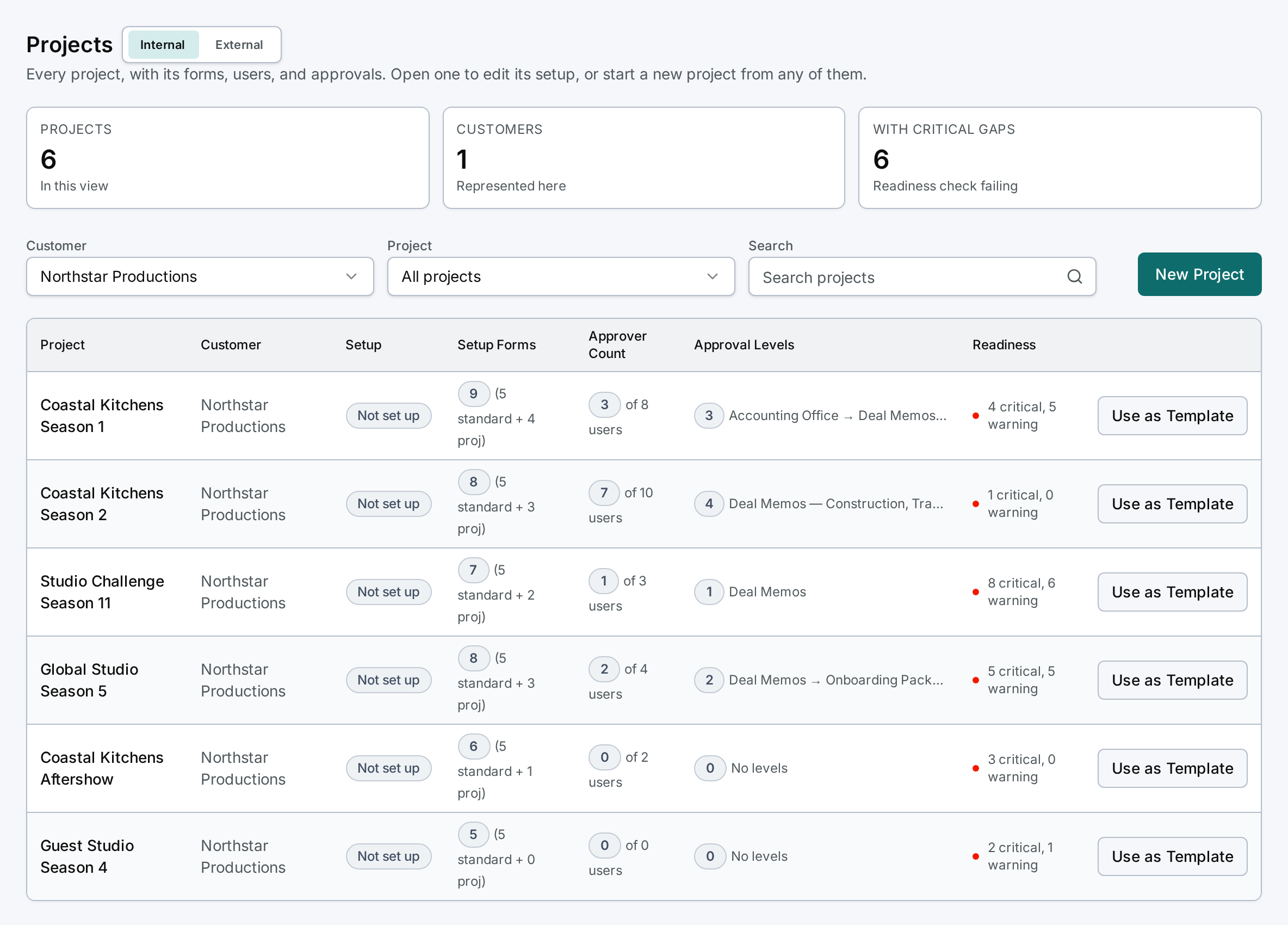
Portfolio view: The entry point is a portfolio of every program for a client. Each row shows how many forms are configured, how many users can approve, which approval levels exist, and how many critical gaps and warnings remain. Patterns stand out immediately, such as programs with no approval levels at all, so the person managing onboarding knows where to look first.
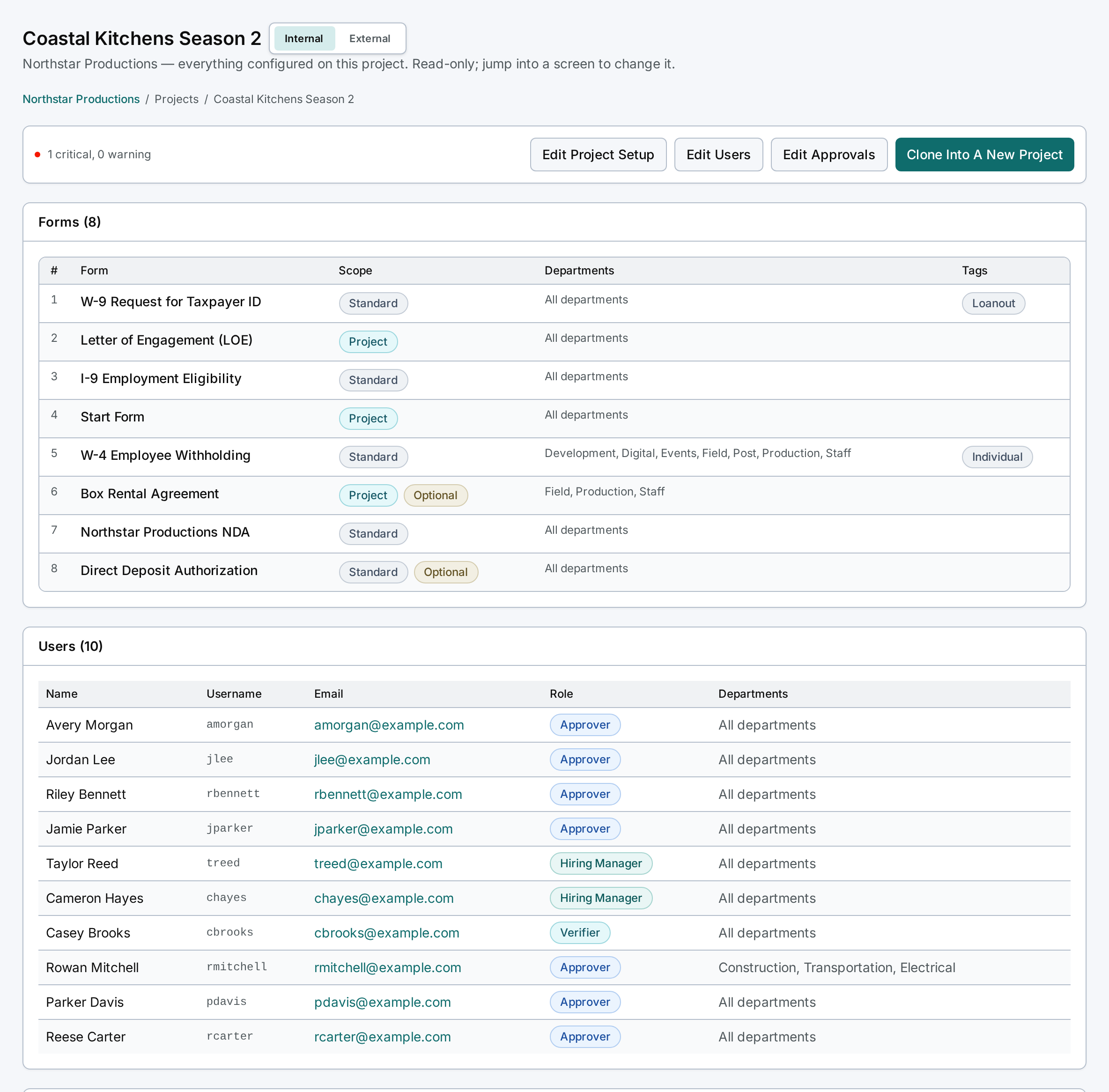
One program, fully visible: Opening a program shows everything configured on it in one read-only summary: the forms and which teams they apply to, and the users with their roles. Each section links straight to the screen where it can be edited, so the summary is also the map for fixing what's wrong.
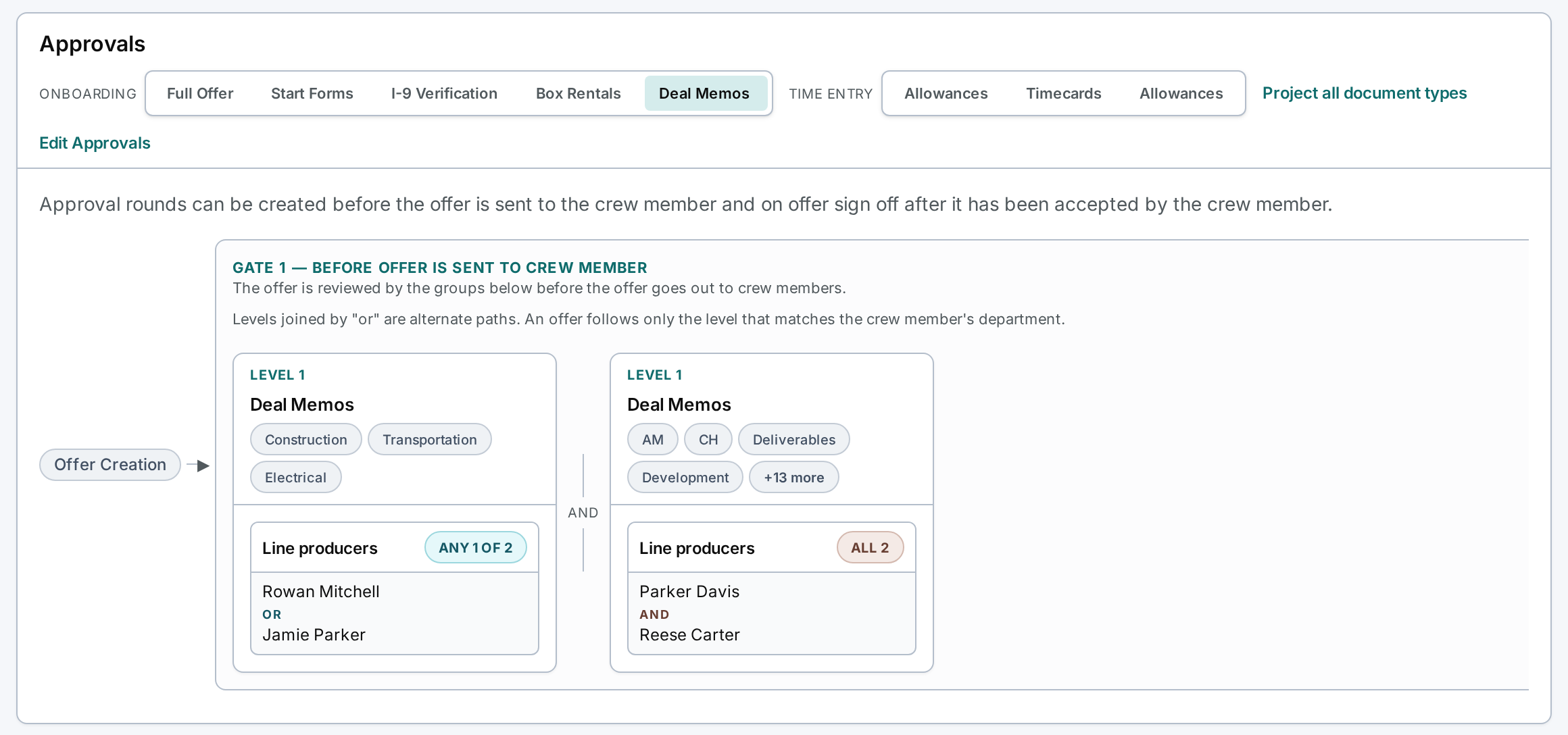
Approval routing: Approvals run in two gates: one before an invitation goes out, and one after the new user completes onboarding. Within a gate, requests can follow alternate paths depending on the new user's team, and each level can require any one of several approvers or all of them. Showing that logic as plain labels, such as "any 1 of 2" and "all 2," makes it possible to read an approval chain and trust it.
The readiness check: The check looks across a program and reports what would stop it from working. In this example, one request type isn't routed to any approval level. Left alone, requests would sit unapproved with nobody able to move them forward. The check names the problem in plain language and points to where to fix it.

Reuse: Once a program works, it becomes the template. Cloning it into a new program carries over the forms, roles, and approval structure, so each new client starts from something proven instead of a blank page.
Status: The design is complete and development is scheduled to begin in Q4.
Note on source material: This case study is adapted from a product design project that is currently in development. All client, program, form, and user names have been replaced, and all figures shown are illustrative. The screens are recreations of the prototype with fictional data. Only the design approach and structure are represented.